LLM providers and keys
ZeroQuarry runs agent loops through configured LLM providers. Depending on your plan and workspace configuration, those providers may be ZeroQuarry-managed or bring-your-own keys.
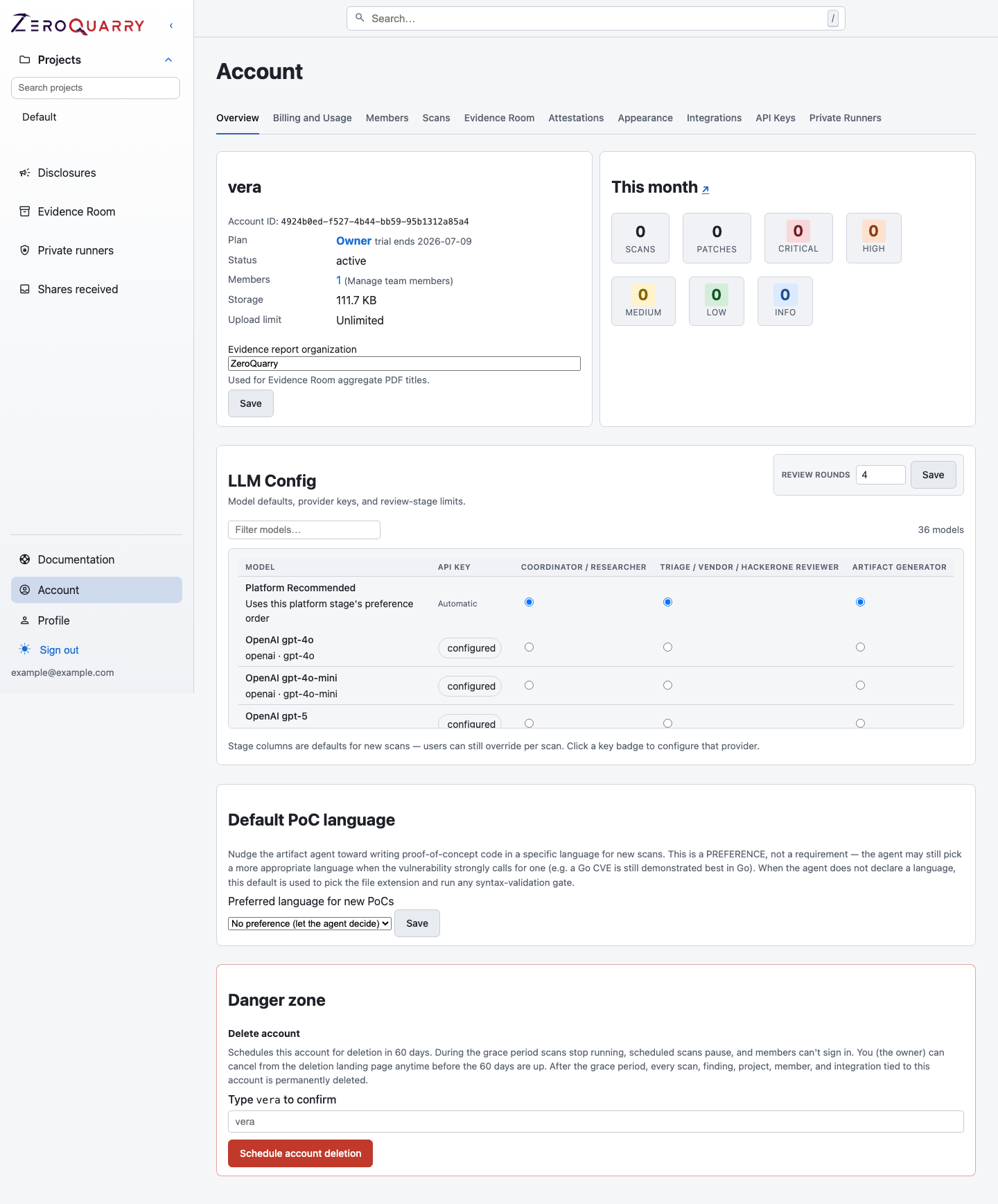
The account LLM config maps each platform model to the three pipeline stages; platform-funded models show a key badge per provider.
Model selection
Scan forms use the models available to your account tier. In workflows such as
Security research, the scan form shows an explicit model picker. In more
guided workflows, ZeroQuarry may hide that picker and use the account defaults
instead.
If no model is available, scans cannot be queued.
New accounts start with Platform recommended models — ZeroQuarry's preferred model per stage, funded by the platform and billed as hosted model usage. Owners can change the defaults at any time.
Bring-your-own keys
Some plans require account-wide LLM API keys. Add keys under Account > LLM Config before running scans.
Keys are provider-wide: saving a key for one model makes it available to every model configured for the same provider, and you can copy a key between models of the same provider without re-entering or exposing it. This avoids storing duplicate keys for several OpenAI, Anthropic, or compatible model entries.
Account-level keys apply to every user in the account. Treat them like production secrets:
- restrict access to account owners or admins
- rotate keys on schedule
- remove keys that are no longer needed
- use provider-side usage limits where available
Stage defaults
Account model settings resolve defaults for three pipeline stages, configurable per model in the LLM config table:
- Coordinator / Researcher — the scan-stage investigation loop
- Triage / Vendor / HackerOne reviewer — the review-stage passes, including adversarial review and rebuttal
- Artifact generator — exploit proofs, disclosure drafts, patches, and deployment packages
Chat on findings and reports can pick its own model per conversation, defaulting to the artifact stage.
Some auxiliary stages use their own model selection when configured: asset extraction from Docs assets can name a model, and private-runner setups require an account-managed key for every selected scan, review, and artifact model.
Security Research mode can expose per-scan overrides. Guided and AppSec modes use more of the account defaults to keep scan creation focused on the target and outcome.
Data sent to providers
LLM providers may receive:
- scan notes
- source snippets and file paths
- decompiled or extracted binary content
- HTTP response snippets from remote scans
- authentication context needed by remote agents
- finding text, chats, and report context
Use providers and models that match your organization's data handling requirements.
Private runners require an account-managed key for every selected scan, review, and artifact model. The runner calls those providers directly rather than routing model requests through a ZeroQuarry-managed key. Calls funded by an account-managed key are billed by that provider and are not included in ZeroQuarry model-usage invoices or blocked by platform-funded token caps. The ZeroQuarry subscription and normal plan limits such as security-run capacity and concurrency still apply.
Batch API mode
Batch mode applies to artifact generation, such as exploit proofs and disclosure emails, when the selected provider supports it and the account tier allows it. Agent loops still run synchronously. Batch mode can reduce cost, but final report finalization may take longer.