Notifications and team settings
Account settings control collaboration, notifications, and report defaults for your workspace.
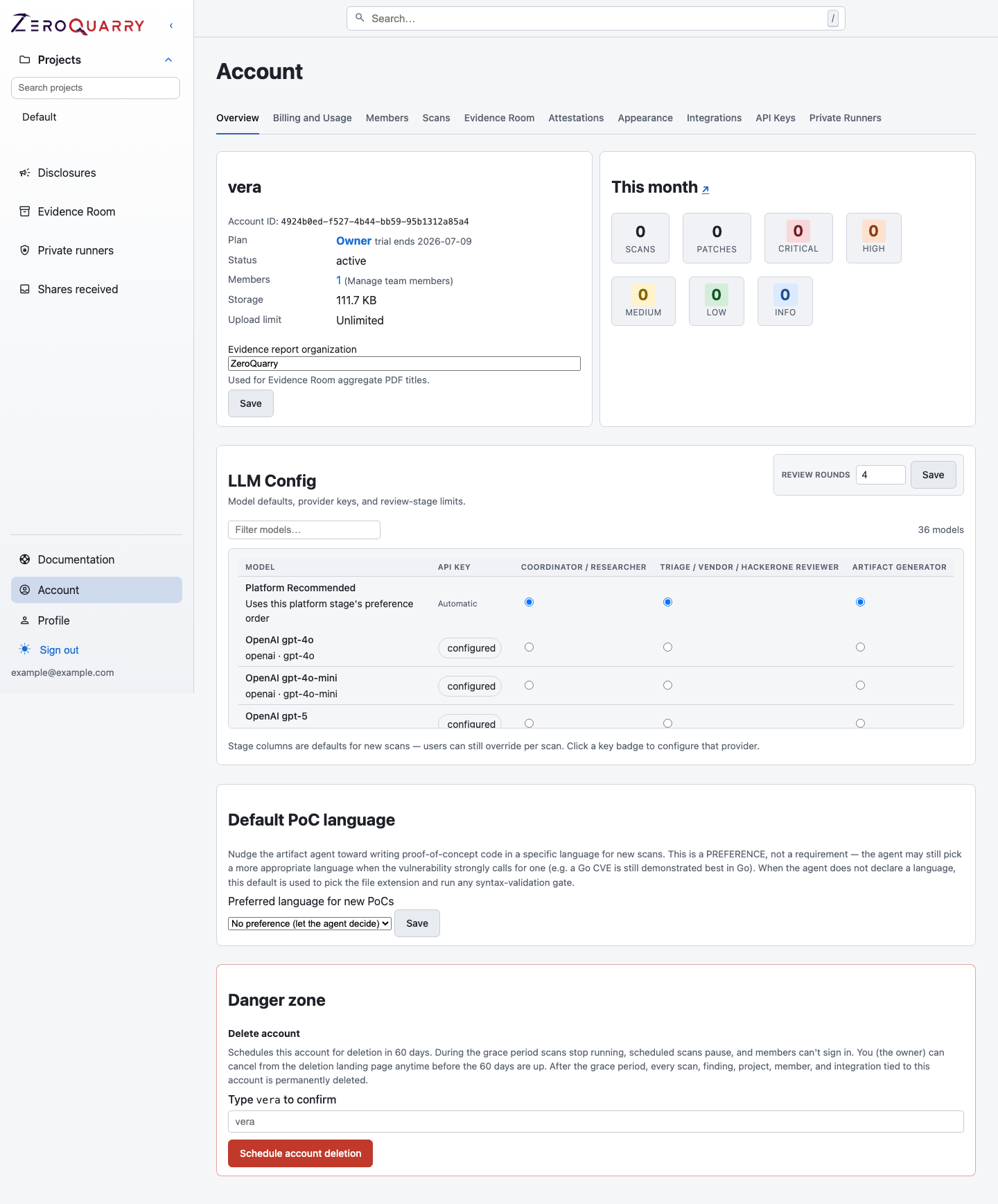
The account overview is the control surface for notification defaults, team management, model settings, and other workspace-wide preferences.
Completion email
Enable scan completion email from Account. You can override the default on individual scan forms.
Email notifications are best for long-running scans or Batch API artifact generation.
Slack notifications
Add an incoming Slack webhook under Account to post scan completion summaries to a channel. When Slack is configured, scan forms can enable or disable Slack posting for that scan.
Use a channel that matches the audience of the scan. For example, route CI scan summaries to an engineering security channel, not a broad company channel.
Slack, Jira, ServiceNow, ZeroQuarryBot, private Git credentials, automated scans, and email triage are configured from Account > Integrations. Their availability depends on the account tier and the user's role.
Team members and roles
Plans that allow invitations can add teammates under Account > Members. Roles are account-scoped:
- Owner and Admin manage settings, integrations, billing, and members.
- Billing manages payment methods and receives invoices without access to scan configuration. See Billing and usage.
- Member runs scans and works findings within the projects available to them.
Use the smallest role that lets a teammate complete their work. Remove members who no longer need access.
If you operate the platform as a super-admin, there is also a separate account-creation invite flow on the platform admin dashboard. That flow sends an activation link for a brand-new account on a selected tier. It is distinct from teammate invitations inside an existing account.
Preferences
Useful account preferences include:
- workflow mode for scan UX (
Guided scan,Security research, orAppSec triage) - low-confidence cutoff for exports
- whether to show the Disclosures shortcut
- scan completion email defaults
- default PoC language for new findings
- report disclaimer overrides, when the plan allows report customization
- organization name used for combined Evidence Room reports
These settings affect future interactions and exports. They do not rewrite historical scan evidence.