Billing and usage
Billing lives under Account > Billing and Usage. Two things are billed separately:
- the platform subscription — the plan you choose, billed monthly or annually through Stripe
- hosted model usage — token consumption for scans that run on ZeroQuarry-managed LLMs, itemized per model and invoiced monthly on top of the subscription
Calls made with your own provider key are billed by that provider, not by ZeroQuarry; they appear in the usage table as "Your provider" but are not invoiced by ZeroQuarry.
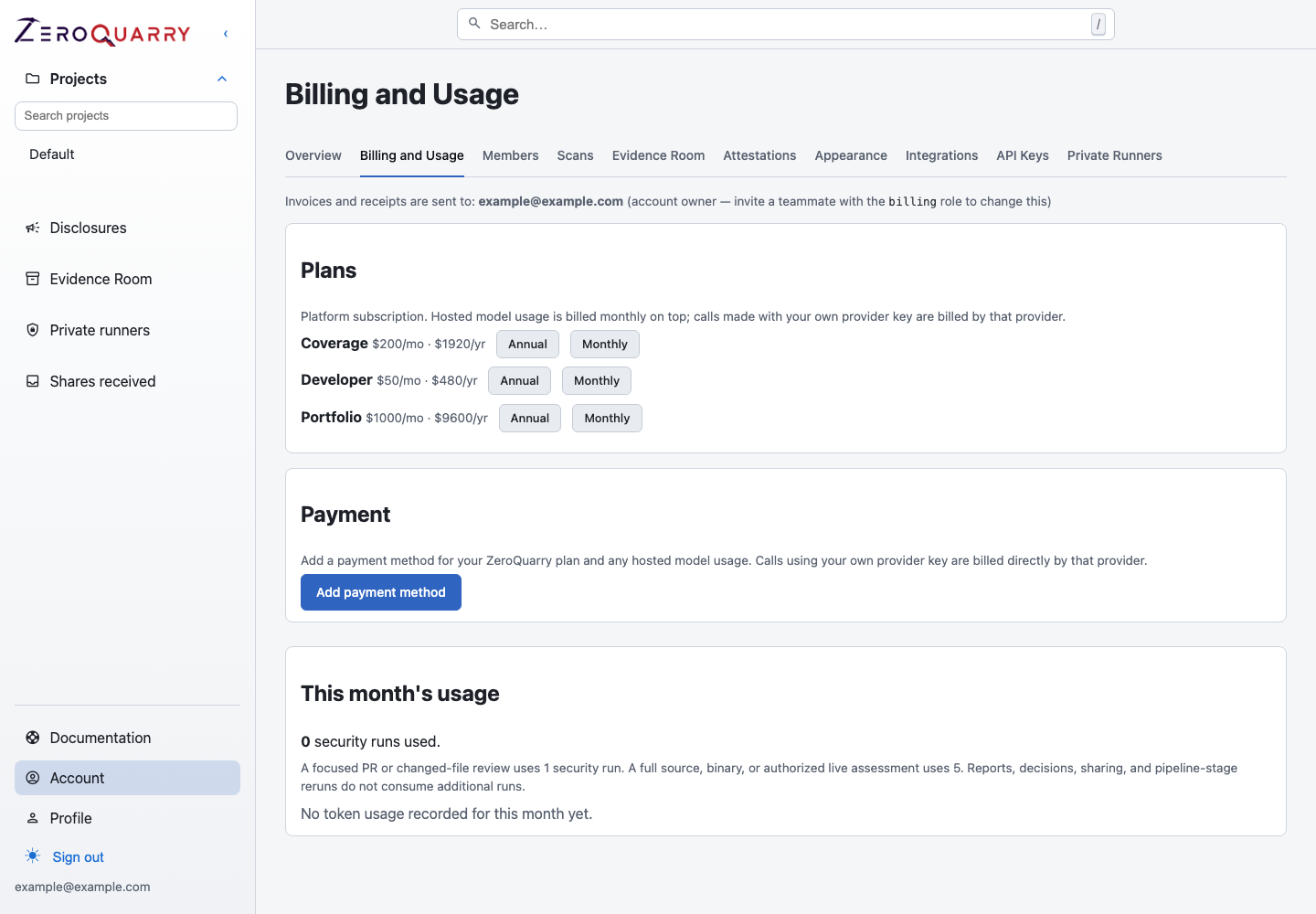
The Billing and Usage page carries the plan checkout, payment method, and the current month's usage. Past invoices appear here once hosted model usage has been invoiced.
Choose a plan
Available plans are listed with their monthly and annual prices. Changing plans goes through Stripe Checkout; the change applies to the account as a whole, not to individual members.
Payment method
Payment methods are managed in the Stripe customer portal. Use Manage payment methods to update the card on file or review invoices in Stripe. Invoices and receipts are emailed to the account's billing contacts.
Monthly model usage
Plan capacity is metered in security runs: a focused PR or changed-file review uses one run, and a full source, binary, or remote assessment uses five. Reports, decisions, sharing, and pipeline-stage re-runs do not consume additional runs.
On top of the plan, the usage table shows the current month's token consumption per model — input, cache-hit, and output tokens — split between ZeroQuarry-hosted models and calls funded by your own provider key. Hosted usage accrues to a monthly invoice per model; if a month's invoice could not be issued at the time (for example, before a payment method was on file), it is caught up automatically once billing is configured.
The billing role
Teammates who need to manage payment details or receive invoices do not need full admin access. Invite them with the billing role under Account > Members; billing-role members can manage the Stripe portal session and billing contacts but cannot create scans or change security settings.
Billing contacts default to the account owner. Invite a billing teammate and have them set the contact to change where invoices are delivered.
What happens if a plan expires
When a plan or trial expires, new scans and artifact generation are blocked, but existing reports, findings, evidence, and exports remain readable. Settle the billing issue in the Stripe portal to resume normal operation.