Compiled artifact scans
Compiled artifact scans (binary scans) inspect shipped artifacts rather than source repositories. Use them for mobile apps, firmware, Java packages, installers, release archives, and other packaged software.
Binary scans answer a different question than source scans: what did we actually ship?
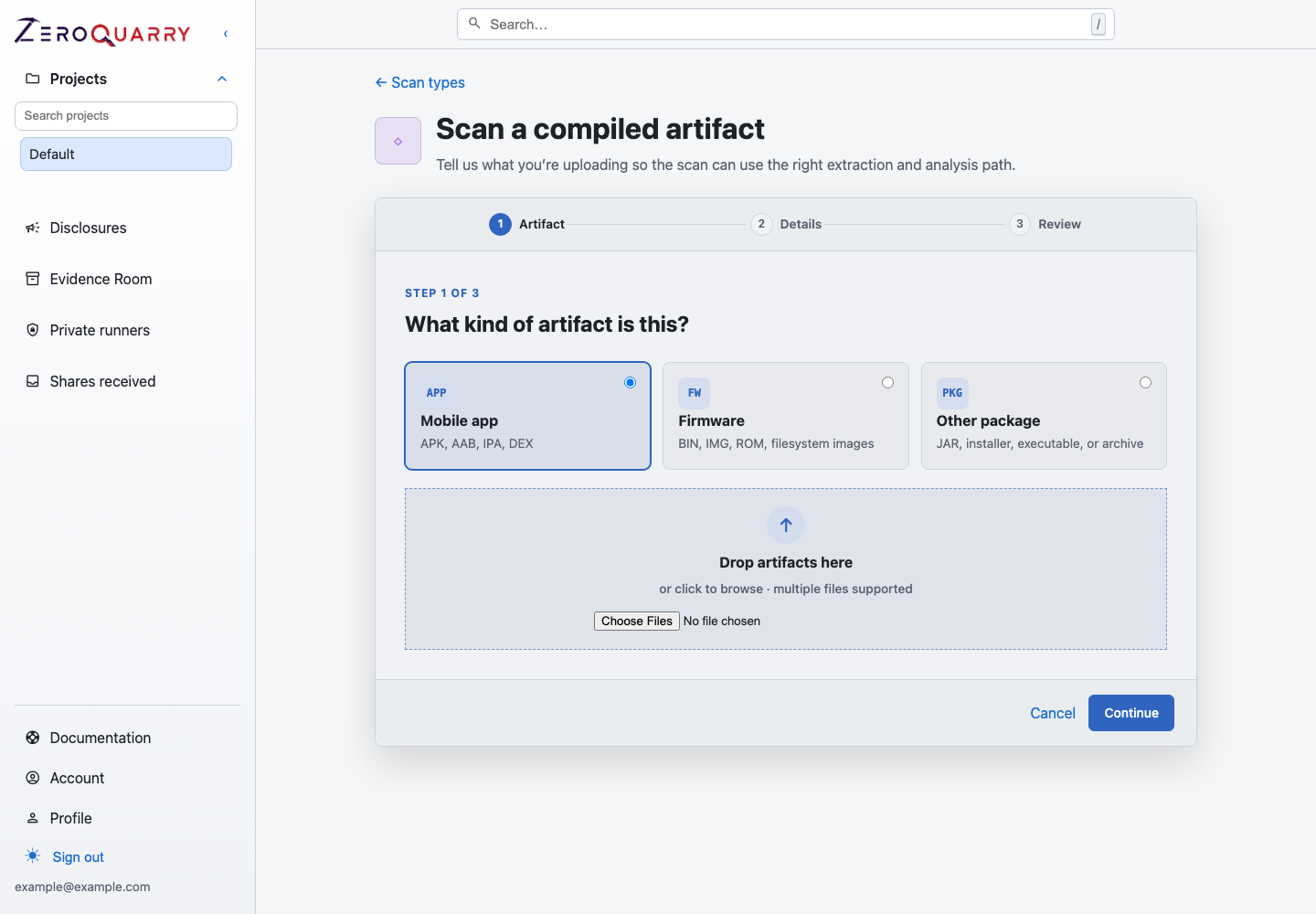
Compiled artifact scans start from the shipped artifact itself so the review matches what customers, attackers, or downstream operators actually receive.
They are useful when build steps, packaging, signing, dependency bundling, minification, generated code, or vendor components can change the security profile between repository and release artifact.
When artifact scans are the right tool
Use artifact scans for:
- mobile app release candidates
- firmware images and update packages
- installer bundles and desktop releases
- JARs or JVM services distributed outside your build system
- third-party packages you are allowed to inspect
- source-unavailable artifacts from suppliers or acquired products
Pair artifact scans with source scans when you need to connect artifact evidence back to code ownership.
Projects and inputs
Binary scans belong in projects with the Custom or mixed profile — it is the only profile that includes the binary scan mode. The scan picker only offers the artifact path on such projects.
Upload one or more binary files or archives. Typical inputs include:
- APKs and Android app archives
- JARs and JVM packages
- firmware images
- installer packages
- compressed release bundles
ZeroQuarry prepares an analysis workspace from the upload. Where possible, it
extracts archives, records metadata, collects strings, and uses available
decompilation or inspection outputs for the agents. Workers can also use
binary-inspection helpers such as openssl to examine key material and
certificates embedded in the artifact.
Upload the artifact that matches the release or environment you care about. A debug APK, unsigned firmware image, or locally rebuilt archive may produce a different finding set than the artifact customers receive.
What agents inspect
Binary-focused workers review the prepared workspace for:
- mobile manifests and exported components
- hardcoded secrets, API keys, and embedded credentials
- insecure update channels or signature checks
- weak cryptography and key storage
- native library and parser attack surface
- embedded endpoints and service URLs
- bundled dependencies with known CVEs
- risky permissions or entitlement choices
Embedded endpoints and deep links are recorded into the project's asset library as discovery candidates, so a remote scan can follow up on what the artifact contacts.
The evidence for a binary finding may be a manifest entry, string hit, decompiled source location, extracted filesystem path, or disassembly reference.
Review strategy
Start review with findings that indicate the artifact differs from your expectations:
- production artifacts containing staging endpoints
- secrets, keys, or tokens embedded in the package
- exported mobile components that were expected to be private
- update or signature behavior that does not match release policy
- bundled libraries that differ from the approved dependency set
Then compare against related source and remote scans in the same project. A binary finding becomes more actionable when you can identify the owning repository, build step, or deployed service.
Notes and focus
Artifact scans benefit from precise context. Useful notes include:
This is the Android release candidate. Focus on exported activities, deep links,
and token storage.
Review firmware update verification and any bundled private keys.
Prioritize auth flows and embedded backend endpoints.
Scan settings
Binary assessments use the same staged model and review controls as source assessments when the account and workflow expose them:
| Setting | Use it for |
|---|---|
| Model and stage overrides | Choose separate investigation, review, and artifact models when advanced controls are available. |
| Coordinator step budget | Trade broader investigation for additional runtime and model use. |
| Batch API | Reduce artifact-generation cost where supported; finalization can take longer. |
| HackerOne review | Add core-ineligible context when the artifact supports a disclosure workflow. |
| Independent adversarial review | Have a separate reviewer challenge binary findings before finalization. |
Guided workflows may apply account defaults without displaying every advanced setting. The resolved stages remain visible in the report audit history.
Report outputs
Artifact scan reports use the same finding model as source and remote scans: severity, confidence, description, evidence, exploit proof material where possible, and optional disclosure artifacts.
Not every binary issue can produce a runnable exploit. When that happens, the exploit proof should still explain the reproduction path and the artifact evidence.
Common next steps
- Use Release security review when the artifact is a release candidate.
- Use Remote target scans when the artifact exposes endpoints or deep links.
- Use Triage to remediation to turn artifact evidence into engineering work.