Source code scans
Source scans inspect uploaded source files, archives, or Git repositories. They are designed for application code, infrastructure code, services, plugins, and libraries.
Use source scanning when the most important evidence is in control flow, data flow, authorization checks, framework configuration, dependency use, or code review context.
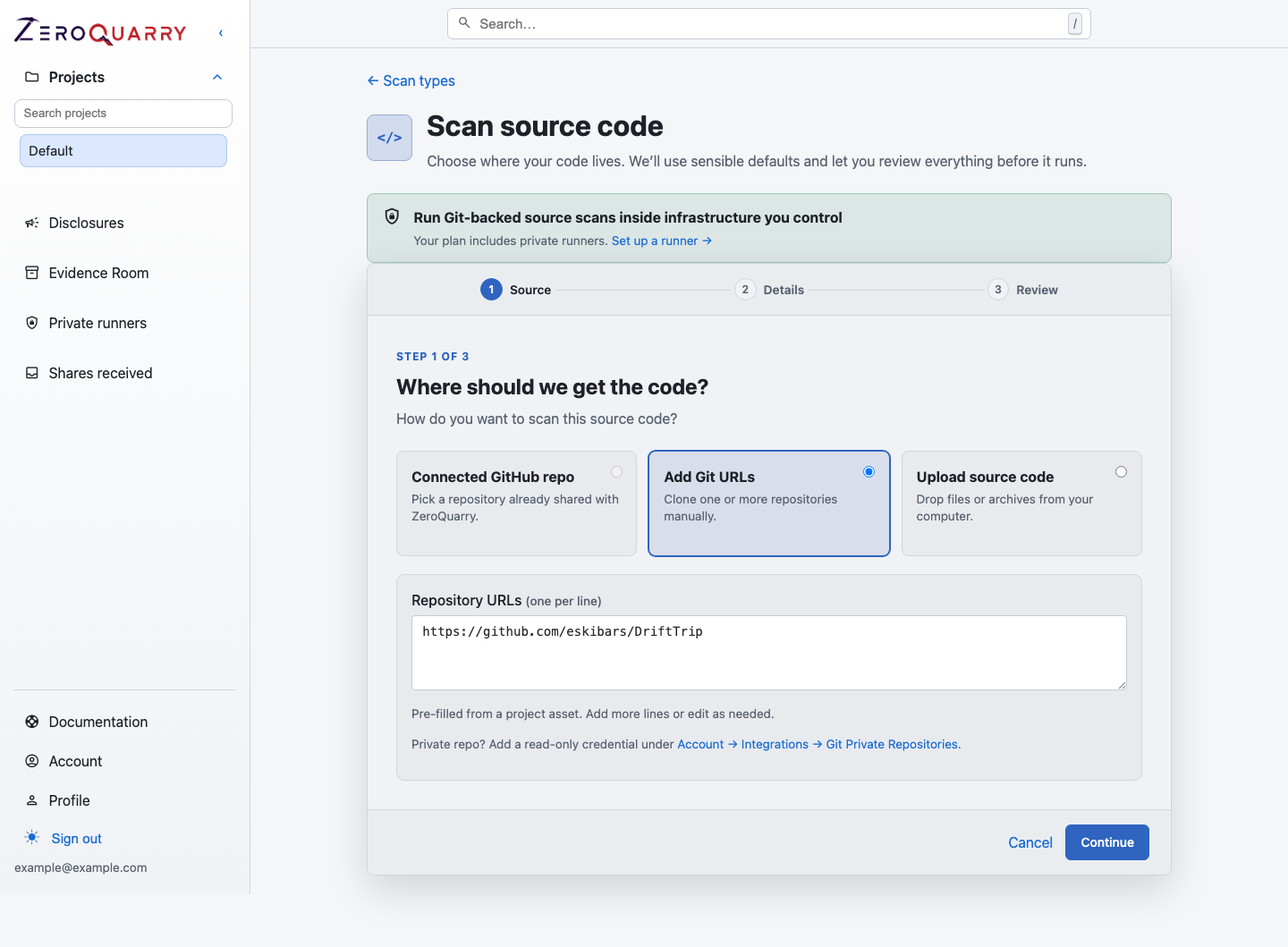
The first wizard step chooses exactly one source path: connected GitHub, manual Git URLs, or a browser upload.
When source scans are the right tool
Source scans are strongest when you need to answer questions like:
- Can a user cross an account, tenant, project, or role boundary?
- Does user-controlled input reach a command, file path, URL fetch, parser, or template sink?
- Are secrets, tokens, or signing keys handled safely?
- Did a recent pull request change a security boundary?
- Does the code implement the policy that the product assumes?
They are weaker when the relevant behavior only appears after deployment, packaging, gateway configuration, or runtime authentication. Pair the scan with a binary or remote scan when those surfaces matter.
Inputs
Choose one input path for each scan:
- Connected GitHub repo for repositories granted to the ZeroQuarry GitHub App
- Add Git URLs for public repositories or private repositories using a saved account credential
- Upload source code for individual files or archives such as
.zip,.tar, and.tar.gz
If the project already has a repo asset, the form pre-fills from it — URL, ref, and saved credential — and the scan is linked back to that asset so its coverage history stays in one place.
Archives are expanded automatically. Git repositories are cloned into an isolated scan workspace for the duration of the assessment.
The paths are alternatives; a browser upload and Git repositories are not combined in the same scan. For repeatable work, prefer Git over one-off uploads. Git-backed scans support lineages, rescans, and CI delta scans more naturally.
Deterministic analysis plus agent investigation
Before the coordinator starts, ZeroQuarry runs a bounded deterministic static analysis pass over source targets. The current worker uses a frozen local Opengrep rule pack; it does not fetch registry rules during the scan.
Rule matches are retained as candidates, not promoted directly to findings. The coordinator and specialist agents use a bounded subset as investigation leads, then test them against control flow, reachability, product context, and other repository evidence. This combines fast coverage of recognizable unsafe patterns with the contextual reasoning needed for authorization, tenant isolation, business logic, and multi-file attack paths.
Treat sast-candidates.json as analysis provenance rather than an alert list. A
candidate becomes actionable only if the assessment records it as a finding
with supporting evidence.
What agents inspect
The coordinator maps the repository or prepared workspace, then dispatches source-focused workers. Workers look for issues such as:
- authentication and authorization bypasses
- injection paths and unsafe command execution
- SSRF and unsafe URL fetches
- deserialization and parser risks
- secret handling and token exposure
- tenant isolation failures
- unsafe file, path, and archive handling
- dependency or framework use with known CVEs
In white-box and grey-box projects, source workers also record the runtime surface they can infer from the code — hosts, ports, and endpoints — into the project's asset library as discovery candidates, alongside any URLs seeded as assets.
Findings should include concrete source locations when the evidence comes from code.
Good source-scan notes
Good notes identify the business boundary or recent change, not just a file name. Examples:
Focus on project membership and billing entitlement checks. Treat cross-account
data access as critical.
This scan supports a release gate for the SAML callback rewrite. Follow the
callback through user lookup, session creation, and role assignment.
CI delta scan. Prioritize changed files and nearby call paths into webhook
signature verification, retry handling, and replay protection.
When you have no specific focus, say what the product does and which assets are most sensitive.
Scan settings
| Setting | Use it for |
|---|---|
| Model | Selects the LLM runtime for coordinator, worker, triage, and artifact steps. |
| Notes / focus | Adds operator guidance to the coordinator prompt. |
| Coordinator step budget | Raises or lowers the maximum coordinator turns. Higher budgets can improve coverage and increase cost. |
| Batch API | Uses batch artifact generation where available. It is cheaper but finalization can take longer. |
| HackerOne review | Labels findings against HackerOne core-ineligible categories when disclosure tracking is enabled. |
| Independent adversarial review | Runs a skeptical challenge and researcher rebuttal pass to improve confidence scoring. |
Some guided workflows apply entitled review defaults without showing every advanced control. Review the queued scan configuration or report audit log when you need to confirm the resolved settings.
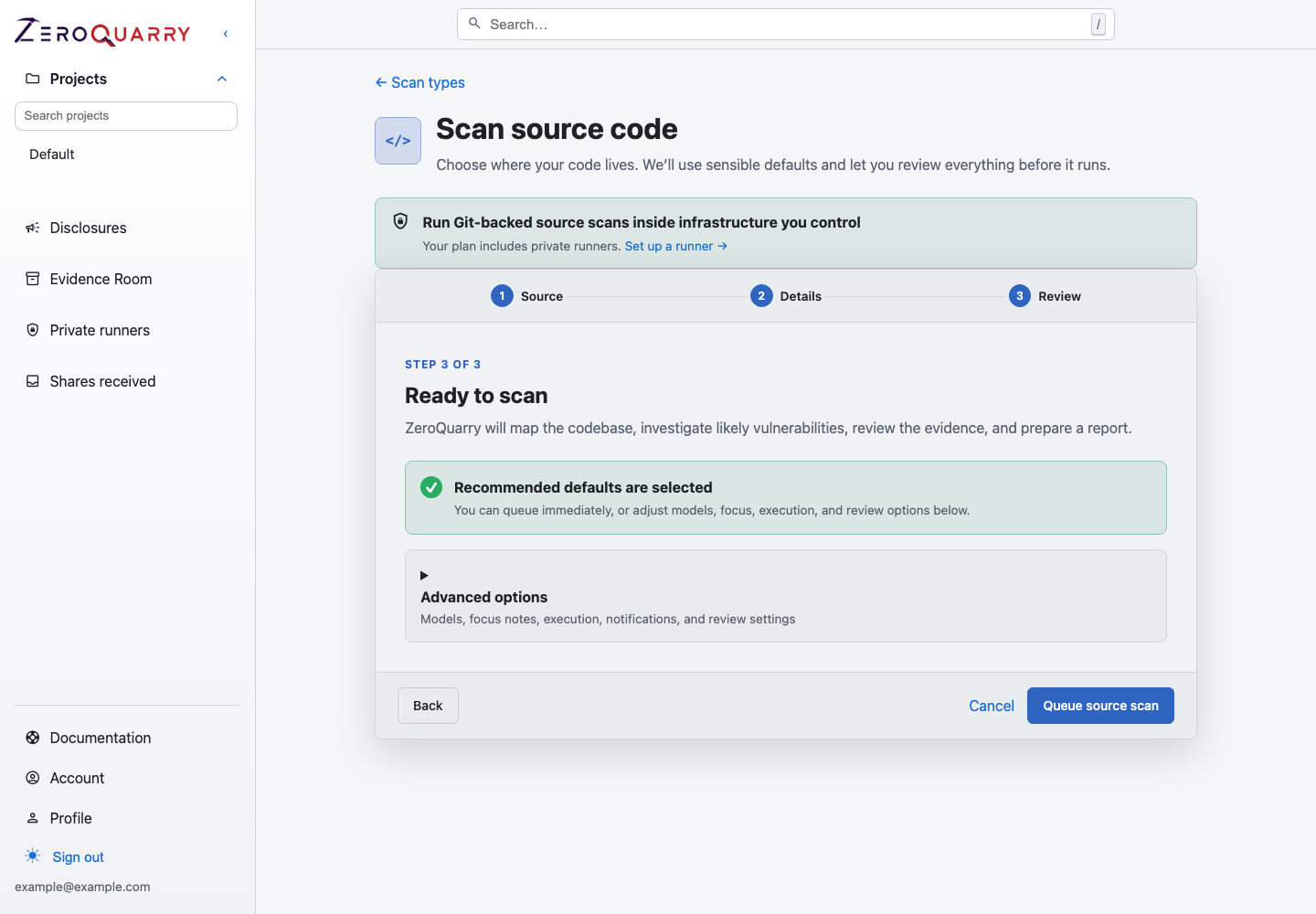
Execution environment and other advanced choices are reviewed immediately before the scan is queued.
Private repositories
For GitHub, prefer the connected GitHub App and select a repository directly from the first wizard step. For other hosts or deployments, add a saved credential under Account > Integrations > Git Private Repositories. See Connect private repositories.
Scans created through the API — CI triggers in particular — do not need to
name a credential: when exactly one saved HTTPS credential covers every target
host, ZeroQuarry attaches it automatically. Ambiguous setups still require an
explicit git_credential_id.
Enterprise accounts can instead clone Git source and run the assessment from a customer-controlled Docker host. Private-runner source scans accept Git targets only; browser uploads would first transit the ZeroQuarry control plane. See Private runners.
Delta scans from CI
The public API supports source scans for CI. With auto_delta enabled, the
first scan is a full scan and later scans can focus on changed files for the
same Git URL set.
See GitHub Actions for a working pattern.
Scheduled rescans and remediation
For a recurring baseline, attach a daily, weekly, or monthly schedule to the scan lineage. Scheduled runs check whether Git HEAD changed and can either scan the updated repository broadly or focus on the diff. Read Scheduled rescans.
For findings in connected GitHub repositories, ZeroQuarry can generate a patch proposal and open a reviewable pull request through ZeroQuarryBot. Read Auto-fix pull requests.
Common next steps
- For release reviews, pair source evidence with Compiled artifact scans.
- For deployed authorization or SSRF behavior, add a Remote target scan.
- For recurring scans, choose Continuous CI scanning or Scheduled rescans.
- After a finding lands, use Triage to remediation.
- To prove a fix landed, use Verification tests.