Auto-fix pull requests
ZeroQuarry can turn a source finding into a proposed code change and, for enrolled GitHub repositories, open a pull request through ZeroQuarryBot.
Auto-fix reduces the translation work between a security finding and an engineer-reviewable change. It does not replace code review, testing, or change approval.
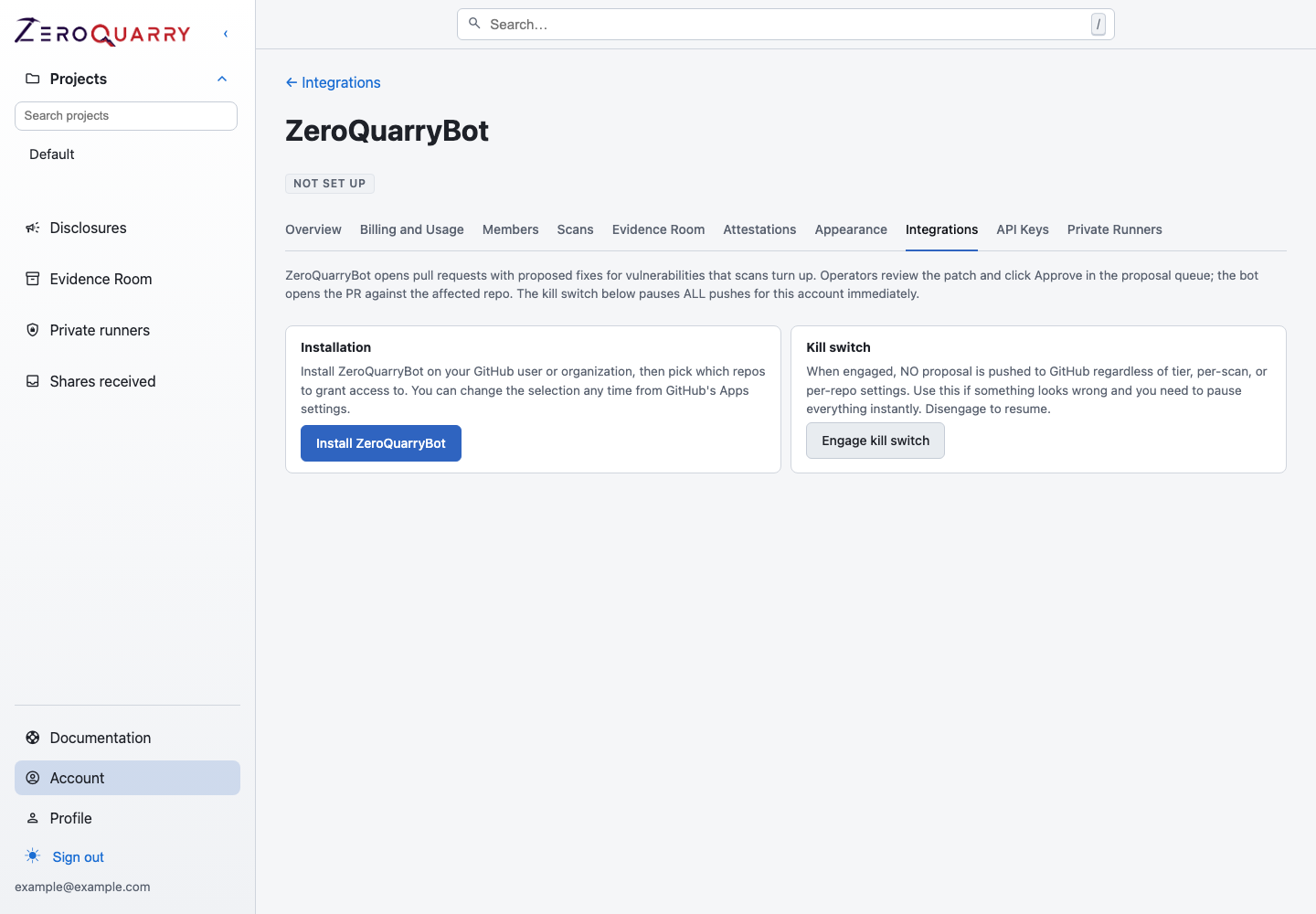
Installation access and the emergency kill switch are separate controls; repo enrollment adds another explicit gate.
Choose between patches and auto-fix
- Use Generate patch when you want a downloadable or revisable diff without granting push access.
- Use Auto-fix proposal when the repository is connected to ZeroQuarryBot and you want an audited route from proposal to pull request.
Both begin with a source finding and require the relevant account-tier capability.
Set up ZeroQuarryBot
An account owner or admin must:
- Open Account > Integrations > ZeroQuarryBot (GitHub).
- Install the GitHub App on the correct user or organization.
- Grant it access only to the repositories intended for auto-fix.
- Enroll each repository before a proposal may be pushed.
- Set a base branch when the repository does not use
main.
Installation access and enrollment are separate gates. A repository visible to the GitHub App is not automatically approved for auto-fix.
Review and push a proposal
- Open a source finding and generate an auto-fix proposal, or open the proposal queue from the report. Patch generation runs on its own building page and opens the proposal when it is ready.
- Read the agent summary and every line of the unified diff.
- Check for changes outside the vulnerable path, altered authorization logic, suspicious comments, unexpected dependencies, and missing tests.
- Reject the proposal or approve it.
- On approval, ZeroQuarryBot opens a pull request. It does not auto-merge.
- Use the repository's normal review, CI, and merge controls.
- Re-scan after merge and move the finding to Retested only when the risk has actually been checked.
Proposal history is retained through staged, approved, rejected, pushed, merged, closed, superseded, and failed outcomes.
Auto-push mode
After a successful manual push, an enrolled repository can opt into auto-push. Qualifying proposals can then be staged and pushed without the ZeroQuarry approval click. The pull request still waits for your normal GitHub review and merge controls.
Use auto-push only where:
- repository ownership is clear
- CI is reliable and branch protection is active
- the team agrees that a bot-created PR is a proposal, not an approved change
- someone monitors failed or unexpected proposals
Safety controls
The auto-fix flow includes layered controls:
- account-tier gate
- GitHub App repository access
- explicit repository enrollment
- account-wide kill switch
- per-repository kill switch
- configurable base branch
- file deny-list and patch-size limits
- per-scan push limit
- no auto-merge
- append-only proposal state history
If anything looks wrong, engage the account kill switch first, then investigate the proposal and repository-specific settings.
Avoid feedback loops
ZeroQuarryBot uses branches under zeroquarry/fix/**. If every branch push
triggers a new ZeroQuarry scan, exclude those branches in the scan workflow:
on:
  push:
    branches-ignore:
      - "zeroquarry/fix/**"
  pull_request:
    branches-ignore:
      - "zeroquarry/fix/**"