Finding lifecycle and audit trail
A finding is an investigation result. Its lifecycle state records the decision your team made about that result.
State changes are appended as signals with an actor, time, source surface, and optional reason. This creates decision history instead of silently replacing a status field.
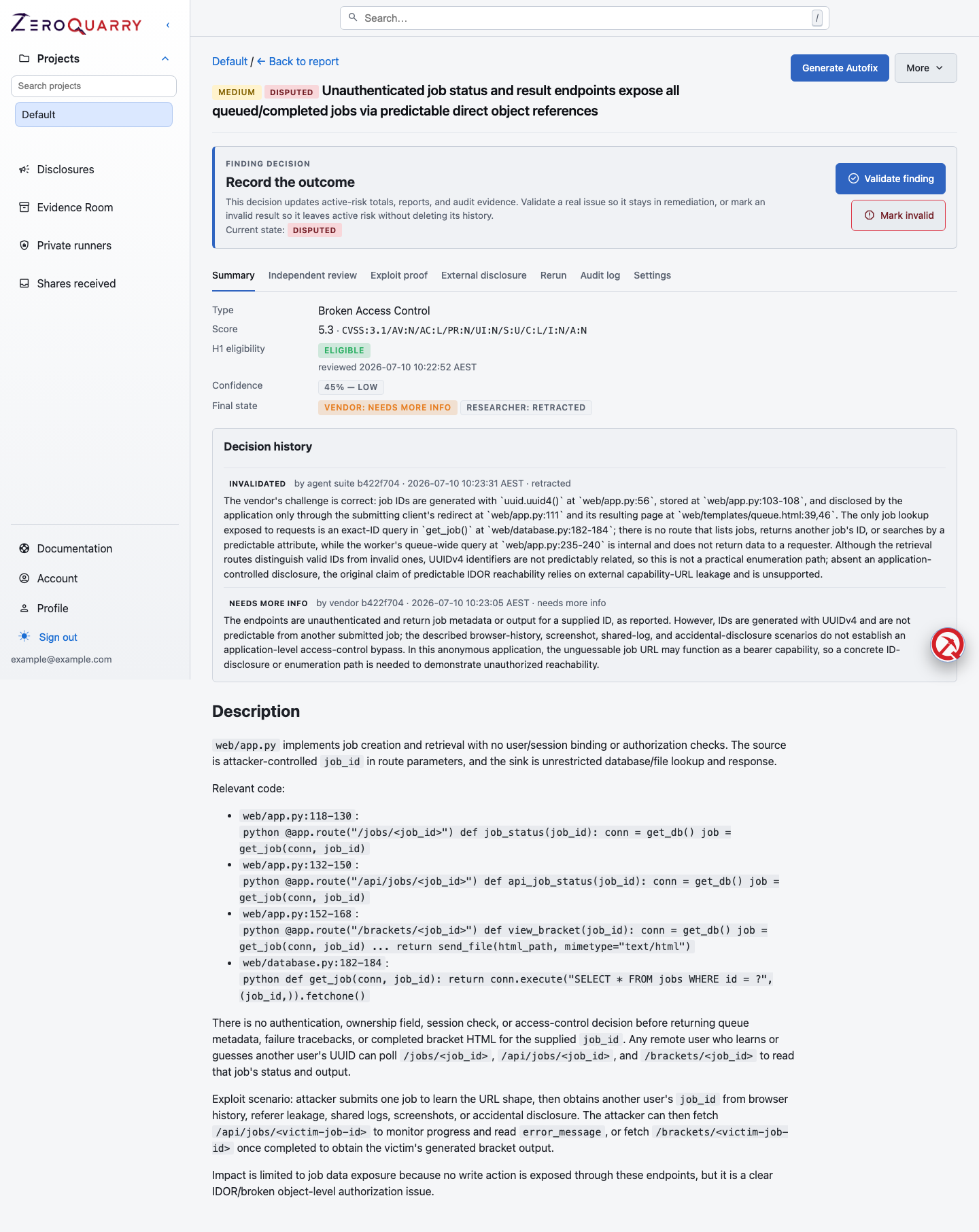
The finding page keeps the technical claim and the team's current decision in the same review surface.
Lifecycle states
| State | Use it when |
|---|---|
| Candidate | The scan recorded the issue and no later decision exists. |
| Needs Validation | Evidence or product context is not yet sufficient. |
| Validated | The team accepts that the issue is real and applicable. |
| Disputed | The issue is rejected or contested in this context. |
| Mitigated | A control or code change is believed to address the risk. |
| Retested | The mitigation was checked with a later test. |
| Regression | A previously addressed issue has returned. |
| Accepted Risk | An authorized owner chose to tolerate the known risk. |
| Archived | The finding is intentionally closed outside the normal fix path. |
Disputed, regression, accepted-risk, and archived decisions require a reason. Add useful notes for every decision that would otherwise be hard to reconstruct.
A recommended path
Candidate → Needs Validation → Validated → Mitigated → Retested
Not every finding follows the happy path:
- use Disputed with a concrete reason when evidence is wrong, unreachable, intended behavior, out of scope, duplicated, or does not apply to the environment
- use Accepted Risk only after validation; name the business reason and planned review point
- use Regression when a later scan shows the risk returned
- use Archived for intentionally closed records that do not mean “fixed”
Change a finding state
- Open the finding.
- Review evidence, confidence, the independent-review discussion, and its challenge or rebuttal outcome.
- Use Accept finding for a validated result, Reject finding for a disputed result, or More > Change state for the full lifecycle.
- Add the reason and context.
- Create the engineering ticket or remediation proposal.
Changing state does not rewrite the finding's technical content and does not delete previous state events.
Restore an automated retraction
An adversarial rebuttal can retract a finding when the researcher agent concedes that the claim should not remain active. Retracted findings move out of the active findings table into Retracted by rebuttal, where their evidence and rebuttal reasoning remain available for review.
If a human reviewer has evidence that the finding is valid after all, expand that section and select Promote. Enter a validation rationale and submit Promote to active. ZeroQuarry restores the finding to the active table with a Human restored label, while preserving both the original retraction and the human validation in its history.
Use promotion for an explicit human decision supported by evidence; do not use it merely to re-open an unanswered question. For that case, keep the retracted record as audit context and investigate a new or revised claim.
What the audit log records
The report and finding audit views combine:
- original scan and follow-up analysis runs
- whole-scan and finding-specific review passes
- artifact, patch, and deployment-package generation
- the model resolved for each stage
- user or actor, start/end time, outcome, and errors
- finding lifecycle changes and reasons
Use this history to answer who made a decision, what analysis supported it, and whether a later retest actually occurred.
Recheck evidence is not inferred from absence
When an update scan enables Re-check previous findings, ZeroQuarry records each prior unresolved finding as fixed, still present, or inconclusive, with reasoning and supporting evidence. The report keeps those results distinct from the new finding list and links current recurrences to the earlier finding.
Only an explicit recheck outcome should support a Retested or Regression decision. A finding that simply does not reappear may have fallen outside the changed-code focus, available context, or completed analysis stages. When the recheck result needs to become shareable evidence, import it into a verification test and publish.
Separate state from confidence and severity
- Severity estimates impact if the vulnerability is real.
- Confidence estimates how likely the claim is to survive review.
- Lifecycle state records the team's current decision and operating status.
An automated retraction is independent-review evidence, not a lifecycle state. A later human validation can restore the finding without deleting the retraction or changing the severity assessment.
A high-severity, low-confidence candidate should usually move to Needs Validation, not disappear. A validated low-severity issue may still require action because of customer commitments or chained risk.