Projects and scans
Projects are the main organizational boundary in ZeroQuarry. They are how you turn individual scans into product history.
Use projects to group scans for a product, repository, service, mobile app, external target set, or release train.
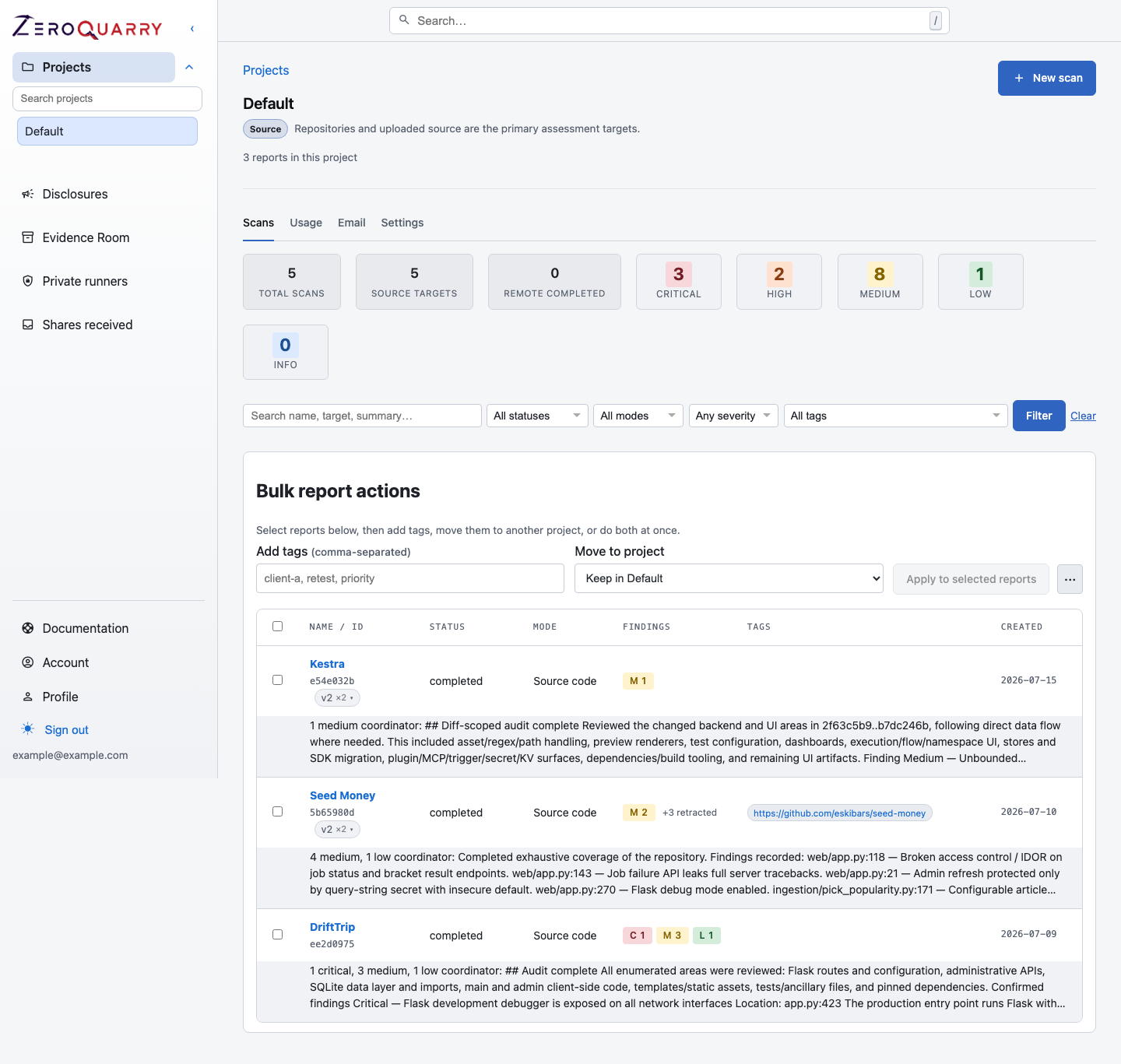
Projects become the durable home for scan history, assets, tags, lineages, and the cross-mode evidence that accumulates over time.
Projects
Every account starts with a default project. Create additional projects from Projects in the sidebar; the new-project wizard asks for the assessment context first.
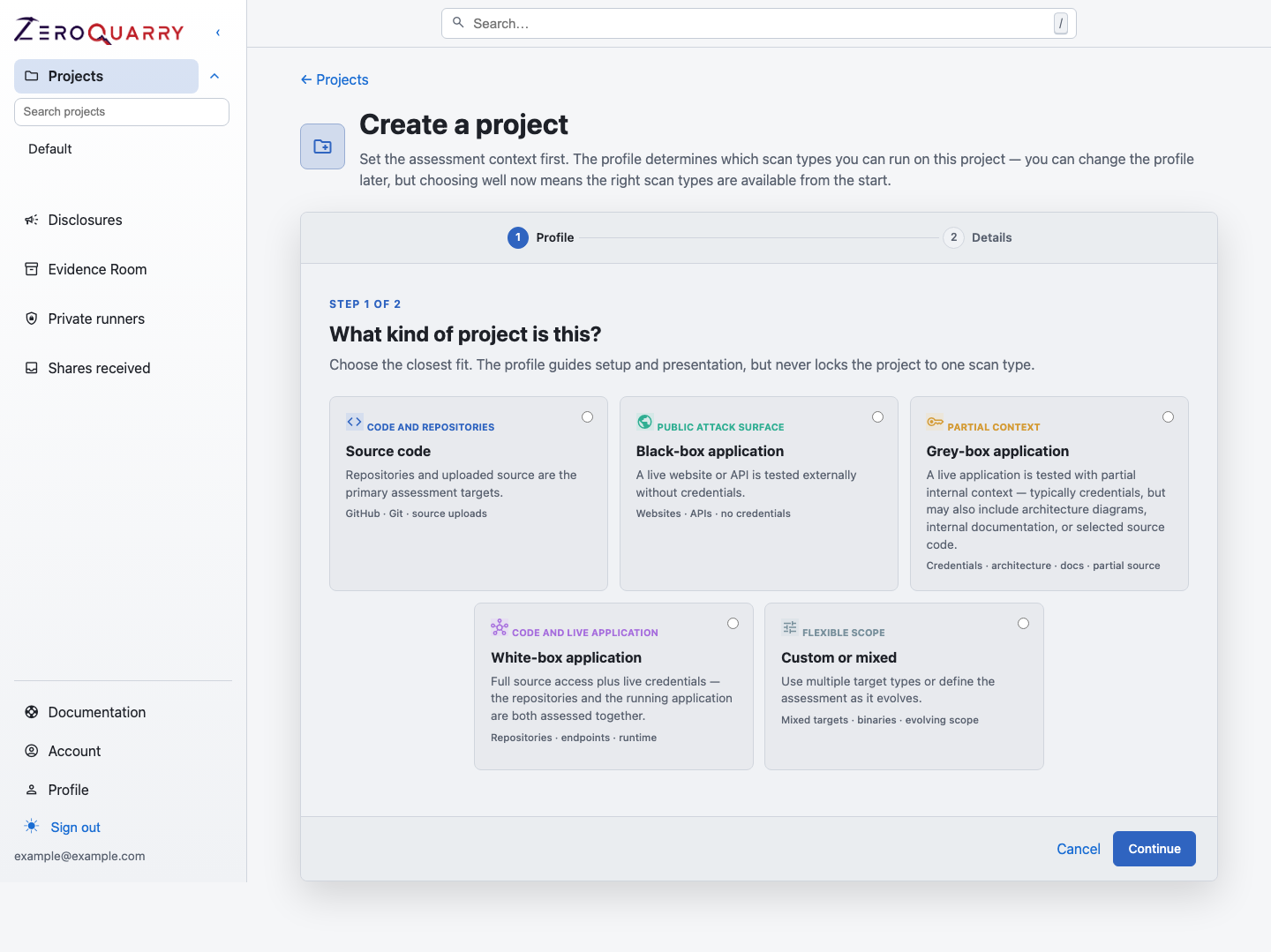
The profile guides setup and which scan types are available — it never locks the project to one scan type.
Project profiles
A project's profile describes what kind of assessment it is. The profile drives the workspace UI, decides which scan modes can be launched from the project, and constrains the project at launch and on every probe:
| Profile | Best for | Scan modes |
|---|---|---|
| Source code | Repositories and uploaded source are the primary targets | Source |
| Black-box application | A live site or API tested externally without credentials | Remote |
| Grey-box application | A live app tested with partial context — typically credentials, sometimes architecture docs or partial source | Remote |
| White-box application | Full source access plus live credentials — code and running app assessed together | Source + remote |
| Custom or mixed | Mixed targets, binaries, or an assessment that evolves | Source + remote + binary |
You can change a profile later from the project's Settings tab. Existing scans keep their history; only new launches respect the new profile.
Profiles also shape the asset library: black-box, grey-box, white-box, and custom projects manage assets directly, while source-code projects show the discovery feed of hosts and ports extracted from code.
Use separate projects when you want to separate:
- product areas with different owners
- production services from test targets
- mobile apps from backend services
- bug bounty targets from internal assets
- customer or tenant-specific assessments
A project should answer a question someone will ask later:
- "What security work happened for the billing service?"
- "Which scans supported the 2.8 mobile release?"
- "Did this finding recur after the fix?"
- "Which bug-bounty reports came from this target family?"
For most teams, one project per product or service is better than one project per scan. It keeps source, binary, and remote evidence together.
Scan names and tags
Names make individual reports easy to identify. Tags make scan history easier to filter.
Recommended tag patterns:
- asset type:
api,web,android,firmware - environment:
staging,prod-like,internal - workflow:
ci,release,bug-bounty - team or service name:
billing,identity,mobile
For release reviews, include the version as a tag, such as v2.8.0-rc1.
For CI scans, include ci and the repository or service name.
Versions, lineages, and moving scans
Reports can be re-run without overwriting the previous result. A re-run creates a new scan version in the same lineage, preserving the older findings, exploit proofs, and chat history.
For Git-backed source scans, API-triggered scans can use auto_delta. When a
previous completed scan exists for the same Git URL set, ZeroQuarry can focus
the next scan on changed files and nearby data flow instead of repeating a full
repository audit.
Use lineages for "same target, new question" work:
- validate a fix
- rerun after a release-candidate change
- compare a fresh full scan with a delta scan
- preserve findings while changing notes or review settings
Scans can be moved between projects from the source project's Move scans action. The move wizard previews what will happen to each target: assets are duplicated into the destination's library or linked to matching assets that already exist there, and scans whose mode is incompatible with the destination's profile are flagged before anything changes.
Status lifecycle
Common scan statuses:
| Status | Meaning |
|---|---|
queued | The scan is waiting for a worker. |
running | A worker is preparing targets or running agents. |
awaiting_batch | Agent work finished, but Batch API artifacts are still pending. |
completed | The report is ready. |
failed | The scan stopped because of an error. |
cancelled | A user cancelled the scan. |
Cancelled and failed scans may still contain logs and partial findings. When a stage does not finish cleanly, the report shows a compact notice with a one-click Re-run stage action instead of failing the whole scan.
Archiving and deleting
Archive a project when its work is done but the record should stay. Archiving hides the project from the sidebar and project pickers and deletes the raw scan files — cloned source, uploads, and logs — while keeping every report, finding, and piece of evidence intact. Archived projects cannot queue new scans until they are unarchived.
Deleting a scan removes the report and artifacts. Freeing clones removes on-disk cloned source material while preserving report evidence and findings. Deleting a project returns its scans to the default project.
Use clone cleanup when you want to reduce retained source data but still keep the security review record. Use scan deletion when the report itself should no longer be available. Archiving is the right tool when a customer engagement or product retires but its evidence must remain auditable.