Choose your workflow mode
Workflow mode controls how much scan configuration ZeroQuarry shows by default. It changes the setup experience, not the scan types, account entitlements, or underlying security pipeline.
Account owners choose a mode during first sign-in. You can change it later from Profile without changing historical scans.
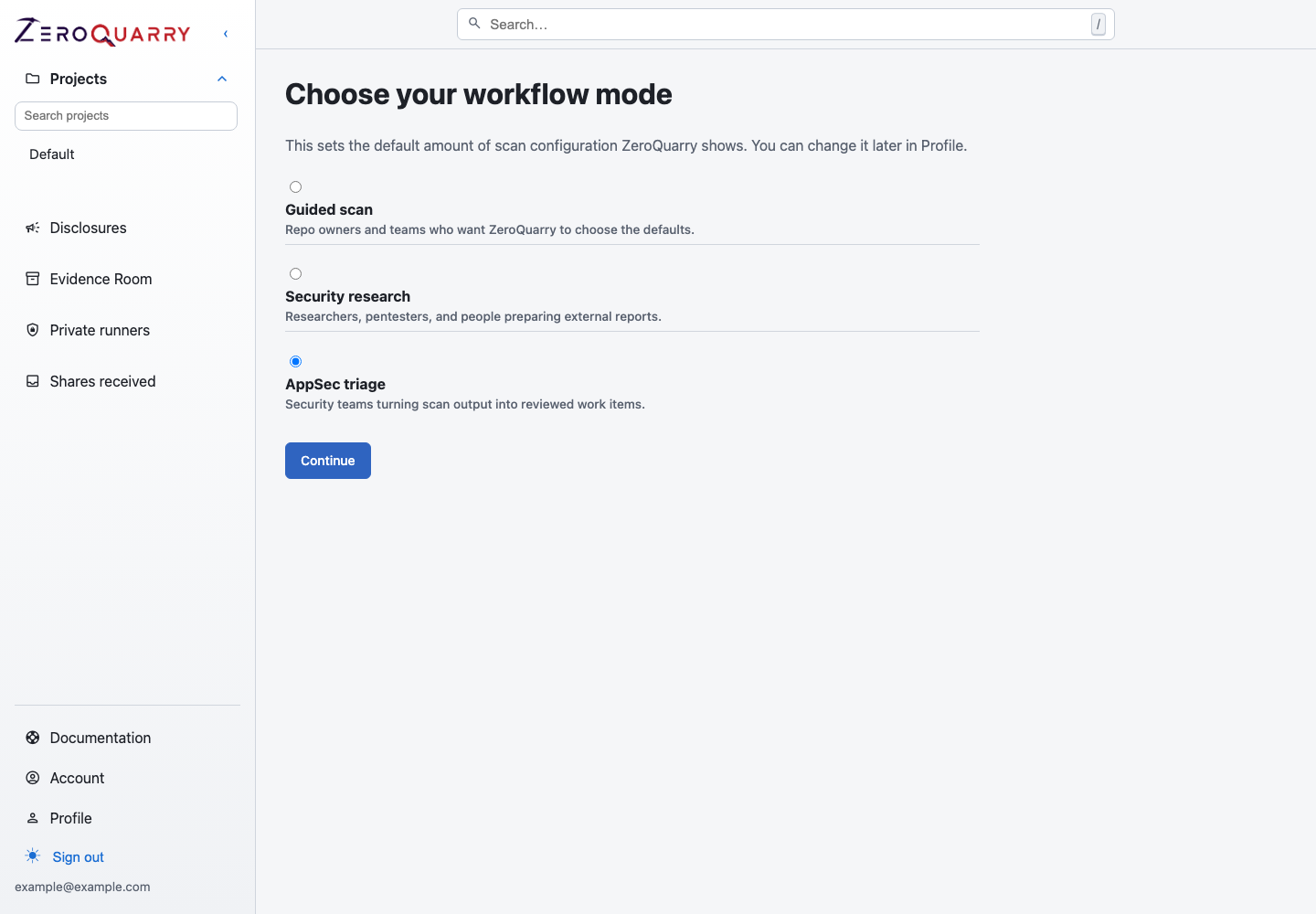
Workflow mode changes the amount of configuration shown during scan setup. It does not add or remove scan types.
Compare the modes
| Mode | Best for | Scan setup behavior |
|---|---|---|
| Guided scan | Teams that want a short, recommended path | Keeps model, cost, and most review controls out of the main flow. Account and platform defaults still apply. |
| AppSec triage | Security teams reviewing and routing findings | Keeps review-oriented controls visible while relying on account defaults for most model and cost choices. |
| Security research | Operators who need per-scan control | Exposes model stages, review options, step budgets, artifact settings, and other advanced controls. |
Hidden does not mean disabled. For example, a guided scan can include independent adversarial review when the account is entitled and that review is enabled by default. Confirm the resolved models and review stages from the queued scan configuration or report audit log.
Choose a mode
Choose Guided scan when:
- most scans should use the same reviewed defaults
- occasional operators should not need to understand model-stage selection
- the target and intended outcome matter more than tuning the pipeline
Choose AppSec triage when:
- operators need to make validation and remediation decisions
- independent review and reporting controls should remain visible
- model and cost tuning should stay centrally managed
Choose Security research when:
- individual scans need different model, budget, or artifact choices
- disclosure-oriented reviews need explicit control
- experienced operators are expected to understand the cost and latency tradeoffs
Review defaults
Account settings define the defaults that guided workflows inherit, including scan, review, and artifact models. Independent adversarial review runs one to five rounds per scan (default one); account owners can adjust the limit under Account.
Changing a workflow mode does not change account-wide defaults. It changes which of those choices a user can override while creating a scan.