Choose the right assessment
ZeroQuarry is most useful when you start from the decision you need to make, not from the scan form. A release manager, product security engineer, and bug-bounty operator may all use the same scans, but they need different evidence, review depth, and follow-up.
Use this page to choose the first workflow for a target.
If your account was set up with a workflow mode, that mode mainly changes how
much of the scan form is shown by default. It does not change what scan modes
exist. Guided scan keeps the form minimal, Security research exposes the
full control surface, and AppSec triage emphasizes review-oriented options.
The project's profile narrower still: it declares what the project is — source review, black-box, grey-box, white-box, or mixed — and the scan picker offers only the modes that profile allows. Targets you assess repeatedly should live in the project as assets, so scans pre-fill and evidence accumulates on the asset.
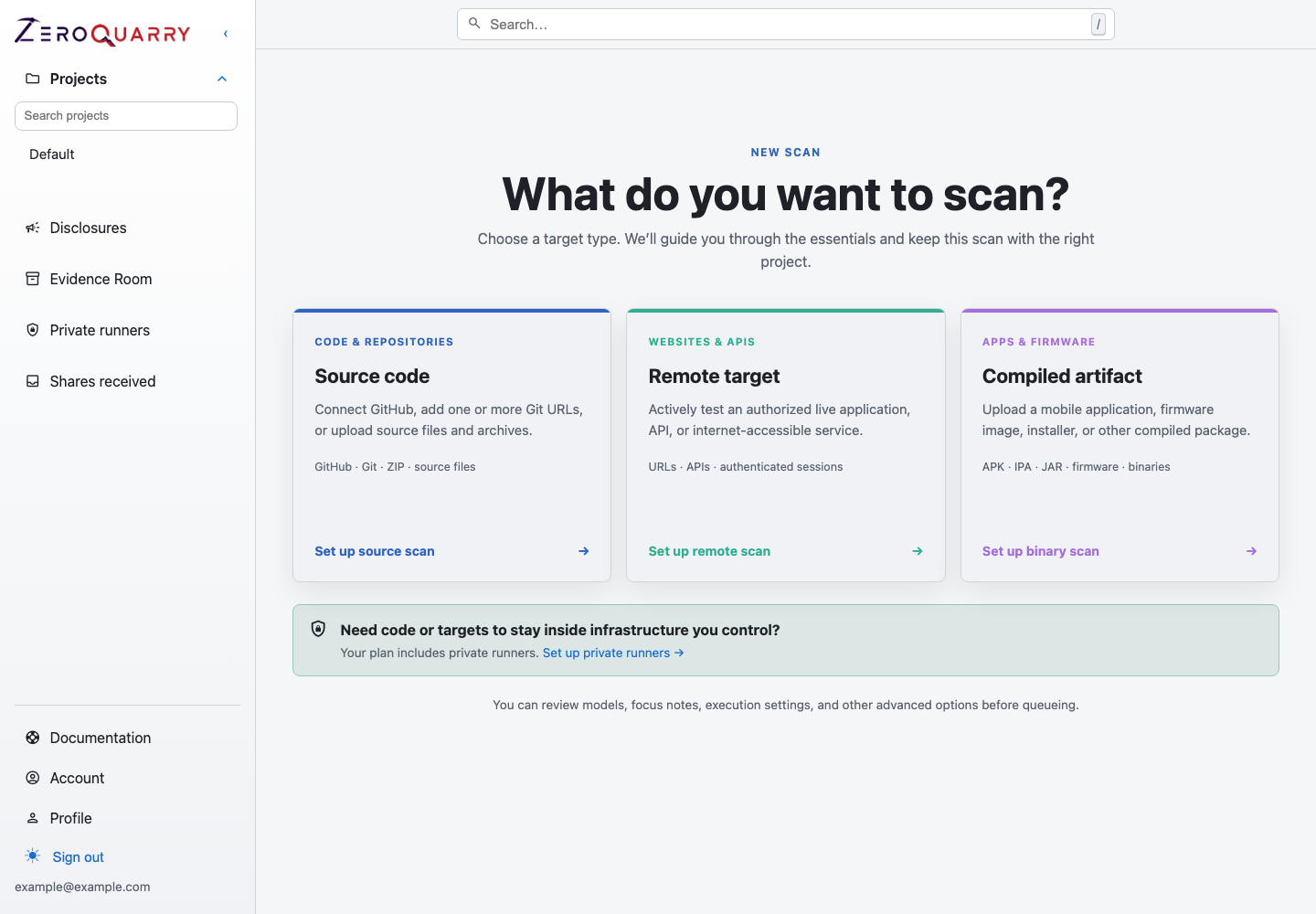
The scan picker is the branching point where you decide which target shape and workflow depth matches the question you need answered.
Assessment patterns
| Goal | Start with | Add when useful | Output to review |
|---|---|---|---|
| Review a code change before merge | Source scan from CI | auto_delta, adversarial review on risky repos | Findings filtered to the changed surface |
| Approve a release candidate | Source scan plus binary scan | Report export, patch generation, completion notifications | Release risk summary and remediation tickets |
| Validate a shipped artifact | Binary scan | Source scan of the matching tag, patch generation | Artifact evidence, embedded endpoint review, secrets review |
| Test a staging service like an attacker | Remote scan | Required headers, authenticated context, source scan of the service | HTTP evidence, reproduction steps, affected routes |
| Prepare a bug-bounty or disclosure submission | Source, binary, or remote scan | HackerOne review, disclosure tracker, finding export | Validated finding, exploit proof, disclosure timeline |
| Prove a fix landed | Re-run with re-checks | Verification test or attestation engagement anchored to issued evidence | Published verification or attestation report |
Pick a scan mode
Source code
Use a source scan when you control the repository or have permission to review the code. Source is usually the best first pass for application logic flaws: authorization checks, tenant isolation, unsafe object references, SSRF paths, signature verification, and dangerous file handling.
Source scans are also the easiest to operationalize in CI because the target is a Git URL or archive rather than a live system.
Read next: Source code scans.
Binary artifacts
Use a binary scan when the thing you ship is not the same thing developers review in source control. Mobile apps, firmware, installers, JARs, release archives, and vendor packages often contain manifests, permissions, endpoints, compiled code, bundled dependencies, and secrets that are not obvious from the repository alone.
Binary scans are strong release gates because they inspect what customers or attackers actually receive.
Read next: Compiled artifact scans.
Remote targets
Use a remote scan when the behavior only exists in a running environment: routing, authentication state, deployed configuration, API gateways, SSRF network behavior, headers, redirects, and multi-step web flows.
Remote scans send real traffic. Treat them like any other authorized dynamic security test: define scope, use test credentials, and document fragile areas.
Read next: Remote target scans.
Combine modes
The best signal often comes from combining modes:
- Source plus remote: identify a likely authorization flaw in code, then test whether the deployed route is reachable and exploitable.
- Source plus binary: compare what was reviewed in source to what shipped in an APK, firmware image, or release bundle.
- Binary plus remote: extract embedded endpoints or deep links from an artifact, then test the live services they contact.
Use one project per product or target family so these scans share history, tags, reports, and follow-up.
Decide review depth
Do not run the deepest review for every scan. Use review features where they change a decision:
- Use independent adversarial review before sharing findings outside the immediate security team.
- Use HackerOne eligibility review when the output may become a bounty or coordinated disclosure.
- Use report exports when a finding set needs to become a release artifact, remediation packet, or executive summary.
- Use patch generation when the source is available and engineering needs a concrete starting point.
A practical first path
For a new product, start with:
- Create a project named after the product or service.
- Run a source scan against the main repository.
- Review high and critical findings, plus coverage notes for coverage.
- Re-run with notes that target the riskiest subsystem.
- Add either a binary scan of the release artifact or a remote scan of staging.
- Export a report once the finding set has been reviewed.
That sequence gives you baseline coverage, a second pass with context, and evidence from the asset shape that attackers are most likely to touch.