Exports and disclosures
Reports and individual findings can be exported for review, handoff, release approval, remediation, or disclosure.
Choose the export based on the recipient. A product owner needs a different artifact than an engineer, auditor, bug-bounty triager, or executive sponsor.
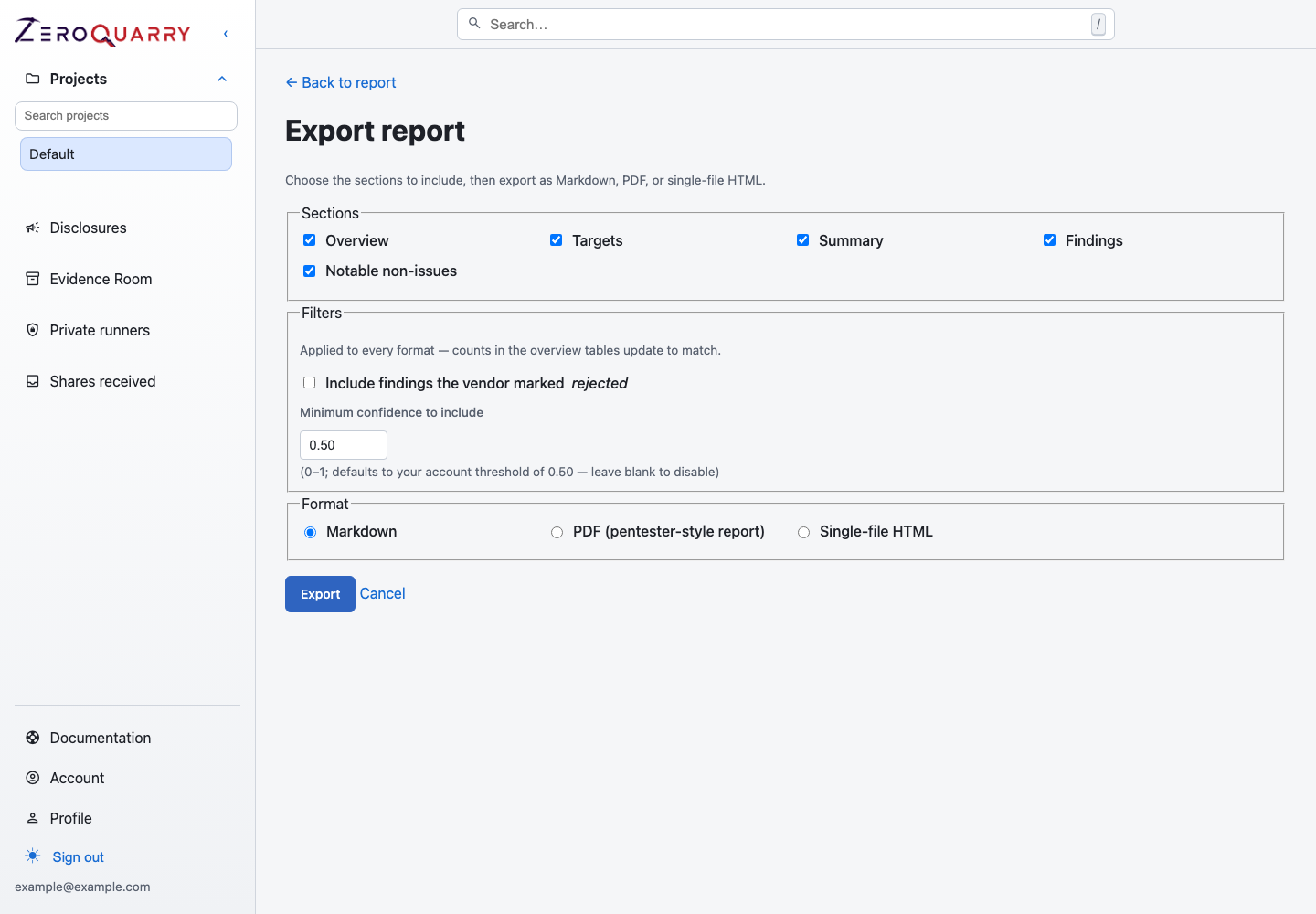
The export surface lets you choose output format and filter what leaves the workspace before you hand a report to another audience.
Report exports
The report export flow supports:
- Markdown
- single-file HTML
Exports can include selected sections, such as summary, targets, findings, coverage notes, report chat, and authentication context.
The customer-facing PDF defaults to a limited summary: report context and aggregate severity counts, without finding names, categories, identifiers, scores, write-ups, or exploit details. Enable Include detailed findings only when the recipient is authorized to receive the per-finding content. The detailed form uses a pentester-style layout with finding sections grouped by the assessed assets.
Use report exports for:
- release approval records
- security review packets
- auditor evidence
- customer-facing summaries after review
- internal postmortems or risk acceptance
For evidence across several assets, use the Evidence Room instead of downloading and combining reports manually.
Export filters
Exports can filter findings by confidence and vendor-review state. By default, low-confidence rejected findings can be excluded based on the account threshold.
Use this before sending a report to engineering, leadership, or a third-party program.
For a broad external audience, start with the limited PDF and add detail only when it changes the recipient's decision. Use a secure share instead when the recipient needs selected live findings with expiry and revocation controls.
Finding exports
Individual findings can also be exported as Markdown, HTML, or PDF. Use finding exports when you need to file a focused ticket, send one issue to a vendor, or attach a single vulnerability to a remediation workflow.
Before exporting a finding, review the evidence, confidence, exploit proof, and any generated patch. Remove unrelated data before sharing outside your workspace.
If the recipient needs a live but limited review surface, create an expiring, password-protected secure share instead. A share contains only the selected findings and can be revoked.
Disclosure drafts
When disclosure tracking and artifact generation are enabled, findings can include draft disclosure emails. These drafts are starting points. Review the technical claims, affected versions, remediation guidance, and recipient details before sending them.
Disclosure drafts are most useful after you have already validated scope and program rules. They should not be sent directly from the model output.
Disclosure tracker
The disclosure tracker records the lifecycle of an externally reported issue:
- reported date
- vendor acknowledgement
- vendor fix
- public advisory date
- bounty or credit
- notes and timeline events
Use disclosures for bug bounty, coordinated vulnerability disclosure, vendor coordination, or customer-facing advisory tracking.
Read next: External disclosure workflow.
For customer and auditor requests, read Customer assurance and audit evidence.